






How to Edit PDFs for Free Online: Master Axevora’s PDF Editor in Minutes

Why a Free Online PDF Editor Matters in Modern Workflows
PDFs are the lingua franca of contracts, reports, and study materials, yet they’re notoriously stubborn when you need to tweak them. Traditional desktop editors are pricey, require installations, and often lock you into a specific OS. Axevora’s free PDF Editor eliminates those barriers: it runs in any modern browser, respects your privacy, and lets you make quick edits on the fly.
What the PDF Editor Does
The tool is a lightweight, client‑side application that loads your PDF directly in the browser. You can:
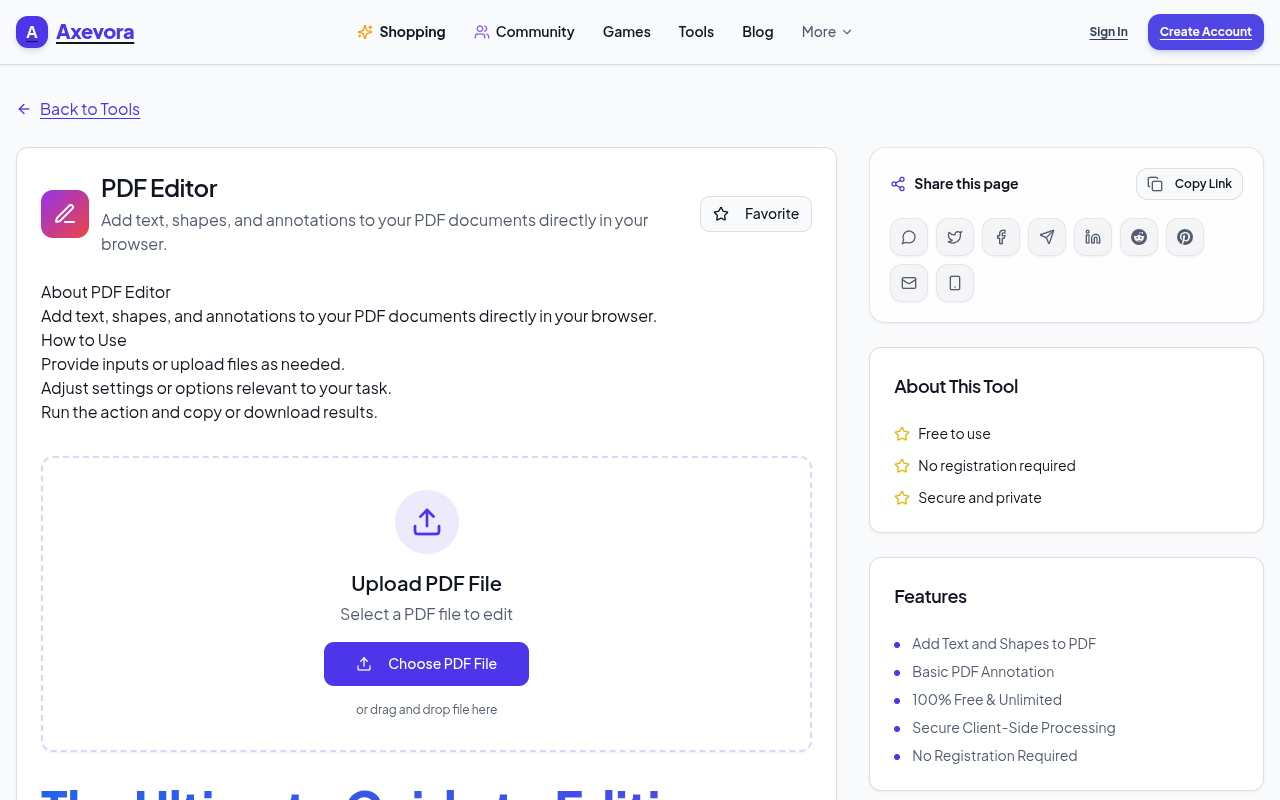
- Insert, move, and style text boxes.
- Draw shapes (rectangles, circles, arrows) to highlight sections.
- Add sticky‑note style annotations and comments.
- Save the edited file back to your device with a single click.
All changes are processed locally, meaning your document never leaves your computer unless you choose to upload it.
Who Should Use This Tool?
Whether you’re a student, creator, developer, or corporate professional, the PDF Editor fits your needs:
- Students – annotate lecture slides or fill out assignment templates.
- Content creators – add branding or call‑outs to downloadable PDFs.
- Developers & QA testers – mark up specs or bug reports without leaving the browser.
- Everyday users – sign forms, highlight receipts, or correct minor typos.
Real‑World Use Cases
- Study notes on the go: Upload a PDF textbook, highlight key passages, and insert margin notes without opening a heavyweight app.
- Client feedback loops: Designers can quickly annotate mock‑up PDFs, add arrows pointing to design tweaks, and send the file back in minutes.
- Contract review: Lawyers can underline clauses, add comments, and export a clean version for signatures.
- Bug reporting: QA teams can screenshot a UI, paste it into a PDF, annotate the issue, and share the file with developers instantly.
Step‑by‑Step: How to Use Axevora’s PDF Editor
- Visit Axevora’s PDF Editor page.
- Click “Upload PDF” and select the file you want to edit.
- Choose a tool from the left toolbar:
- Text – click anywhere on the page to place a textbox.
- Shape – draw rectangles, circles, or arrows.
- Annotation – add sticky notes or highlight text.
- Adjust properties (font size, color, opacity) using the top menu.
- Drag, resize, or delete elements as needed.
- When finished, hit “Download”** to save the edited PDF to your device.
Key Benefits of Using This Browser‑Based Editor
- No installation: Works on Windows, macOS, Linux, and ChromeOS.
- Privacy‑first: All processing happens locally; files are never stored on Axevora’s servers.
- Free forever: No hidden fees, trial periods, or watermarks.
- Instant access: Open the tool from any device with an internet connection.
Common Mistakes and How to Avoid Them
- Uploading huge PDFs: Large files can slow down the browser. Compress or split the PDF first.
- Forgetting to save: Edits are not auto‑saved. Click “Download” before closing the tab.
- Using unsupported fonts: Stick to standard web fonts; custom fonts may not render correctly.
- Over‑layering elements: Use the “Arrange” options to send objects forward or backward to keep the layout tidy.
Practical Example Workflows
Student Lecture Review
Upload a PDF of lecture slides, highlight each slide’s main point, add a textbox with a personal summary, then export a single annotated file for exam prep.
Marketing Asset Quick‑Fix
Open a product brochure PDF, replace an outdated price with a new text box, draw a “New!” badge using the shape tool, and re‑download for immediate distribution.
Frequently Asked Questions
- Is there a file size limit?
- While there’s no hard cap, PDFs larger than 15 MB may experience slower performance on older browsers.
- Do I need an account to use the editor?
- No. The tool is completely anonymous; you can start editing instantly.
- Can I edit scanned PDFs?
- The editor does not include OCR. You can add annotations over the scanned image, but you cannot edit the underlying text.
- Is the edited PDF searchable?
- Only the original text remains searchable. Added text boxes are treated as graphic elements and are not indexed by search functions.
Verdict & Call to Action
If you’ve ever wrestled with a PDF that needed a quick note, a missing label, or a simple highlight, Axevora’s free PDF Editor is the fastest, most secure solution. It removes the friction of downloading bulky software and keeps your data private.
Try the free PDF Editor on Axevora →
 50000
 20000
 20
 20
Explore Related TITTOO Coverage & Discussions
- [Category Hub]: Technology & AI Hub
- [Community Forum]: Technology & AI Discussion Forum
- [Related Editorial Story]: Sabudana‑Aloo Chilla Takes Centre Stage This Navratri: A Crunchy Twist to Traditional Fasting
- [About & Standards]: TITTOO Editorial Standards & Methodology
Discover a zero‑cost, browser‑based PDF editor that lets you add text, shapes, and annotations instantly. Follow our step‑by‑step guide to boost productivity without installing any software.
Read the full article ↓Discover a zero‑cost, browser‑based PDF editor that lets you add text, shapes, and annotations instantly. Follow our step‑by‑step guide to boost productivity without installing any software.
Yeh quick view original article ke excerpt par based hai. Puri details ke liye Standard Deep mode padhein.
You are reading the original TITTOO article. Existing article text, links, images, and embedded media are preserved.