





Unlock Free SEO Insights: How to Use Axevora’s SEO Analyzer to Boost Your Site

Why You Need a Free SEO Analyzer in 2026
In a world where search rankings can make or break a business, having a quick, reliable way to audit your pages is essential. Axevora’s SEO Analyzer gives you a browser‑based snapshot of every on‑page factor that Google and other search engines care about, so you can act fast and stay ahead.
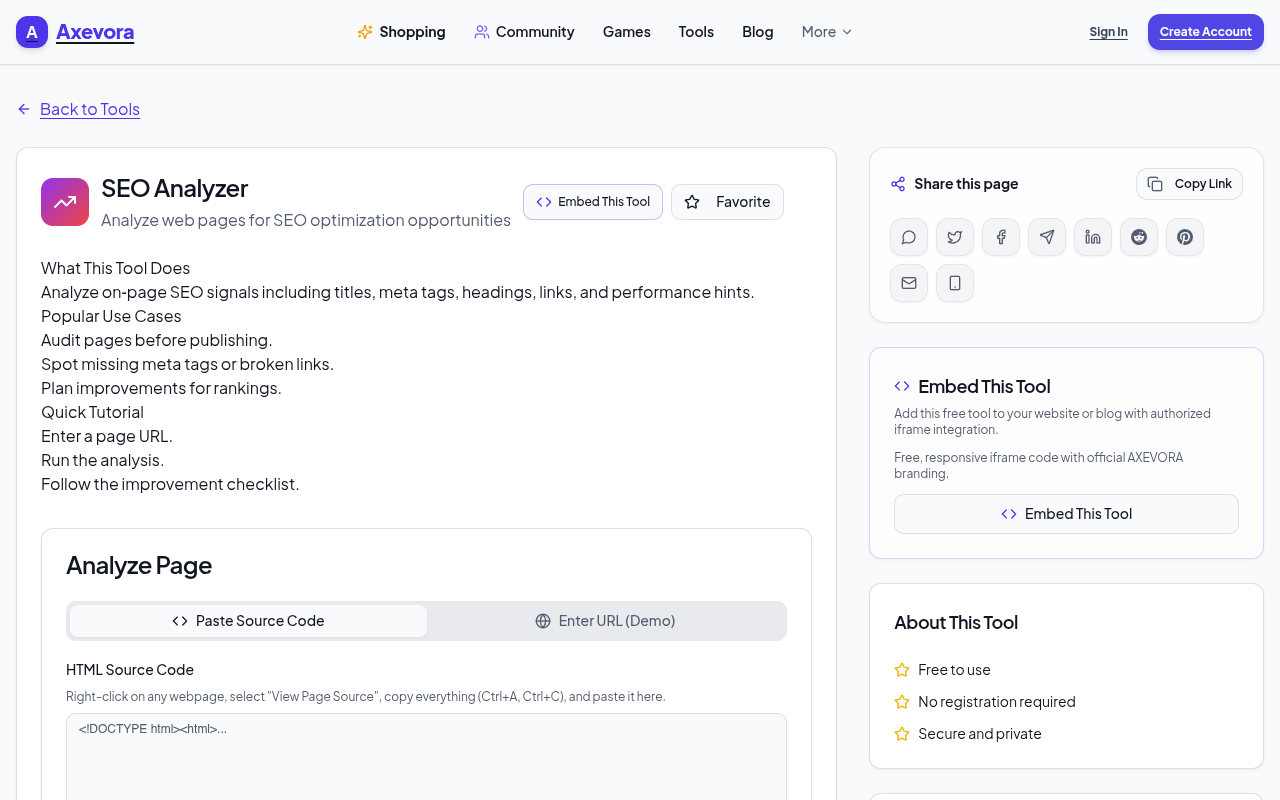
What the SEO Analyzer Does
When you paste a URL into the tool, it scans the page for:
- Title tag length & relevance
- Meta description quality
- Header hierarchy (H1‑H6)
- Image alt text and file sizes
- Keyword density and placement
- Internal and external link health
- Mobile friendliness and page speed hints
The results appear in a clean, color‑coded report that highlights problems and offers quick fixes.
Who Should Use It?
Whether you’re a student writing a research blog, a content creator managing a portfolio, a developer deploying a new site, or a marketer optimizing a campaign, this tool fits into any workflow:
- Students: Verify citations and keyword usage for academic projects.
- Creators: Spot missing alt tags or broken links before publishing.
- Developers: Validate technical SEO during build or refactor.
- Professionals: Audit client sites quickly for performance reviews.
- Everyday Users: Check your personal website or hobby blog.
Real‑World Use Cases
- Launching a New Landing Page: Get instant feedback on headline effectiveness and keyword focus.
- SEO Auditing for a Client: Run batch URLs and export a spreadsheet of issues for a single report.
- Content Refresh: Compare before‑and‑after scores to measure the impact of edits.
- Competitive Analysis: Scan a competitor’s page to identify gaps you can exploit.
Step‑by‑Step How to Use the Tool
- Go to Axevora’s SEO Analyzer.
- Paste the URL of the page you want to audit.
- Click Analyze and wait a few seconds.
- Review the Scorecard at the top for an overall health rating.
- Scroll through each section (Title, Meta, Images, etc.) and click on highlighted issues to see suggested fixes.
- Export the report as PDF or CSV for sharing with teammates.
- Apply the recommended changes to your site and re‑run the analysis to confirm improvements.
Key Benefits
- Browser‑Based: No downloads or installations—just a modern browser.
- Privacy‑First: No data is stored beyond the session; the tool runs locally.
- Free: Unlimited scans, no subscription required.
- Fast Turnaround: Results in under 30 seconds for most pages.
Common Mistakes & How to Avoid Them
- Ignoring the Scorecard: The top rating gives a quick snapshot; don’t skip it.
- Over‑Optimizing Keywords: The tool flags density, but natural language wins—use suggestions as a guide, not a rule.
- Relying on a Single Scan: SEO is dynamic; run periodic audits to track progress.
- Not Exporting Reports: Keep a log of changes; it helps with accountability and future audits.
Practical Example: A Mini Workflow
Imagine you’re updating a blog post:
- Run the SEO Analyzer on the draft URL.
- Fix any missing alt tags and broken links flagged.
- Adjust the meta description to include the target keyword.
- Re‑run the analysis to confirm the score improves from 68% to 85%.
- Export the final report and attach it to your content calendar.
Frequently Asked Questions
1. Does the tool support local development URLs?
Yes, as long as the page is accessible via HTTP/HTTPS and not behind authentication.
2. Can I analyze multiple URLs at once?
Currently, the tool analyzes one URL per session, but you can copy results into a spreadsheet for batch comparison.
3. Is my data safe?
All analysis runs client‑side; no data is sent to external servers.
4. Will it work on mobile sites?
Absolutely—mobile friendliness is one of the key metrics evaluated.
Verdict & Call to Action
Axevora’s SEO Analyzer is a lightweight, zero‑cost powerhouse that fits into any digital workflow. Whether you’re polishing a single page or auditing an entire site, the tool gives you clear, actionable insights instantly.
Ready to see your pages in a new light? Try the free SEO Analyzer on Axevora →
 50000
 20000
 20
 20
Explore Related TITTOO Coverage & Discussions
- [Category Hub]: Technology & AI Hub
- [Community Forum]: Technology & AI Discussion Forum
- [Related Editorial Story]: Salman Khan Prepares for 50‑Day Monster Action Schedule – Inside the Final Stretch
- [About & Standards]: TITTOO Editorial Standards & Methodology
Discover how Axevora’s free SEO Analyzer turns a single URL into a treasure trove of optimization ideas. Follow our step‑by‑step guide to get instant, actionable insights without installing any software.
Read the full article ↓Discover how Axevora’s free SEO Analyzer turns a single URL into a treasure trove of optimization ideas. Follow our step‑by‑step guide to get instant, actionable insights without installing any software.
Yeh quick view original article ke excerpt par based hai. Puri details ke liye Standard Deep mode padhein.
You are reading the original TITTOO article. Existing article text, links, images, and embedded media are preserved.