





Unlock Hidden Image Details for Free: Master Axevora’s Image Analyzer in Minutes

Why Image Analyzer Is a Must‑Have in Your Digital Toolbox
In a world where images dominate communication, knowing what lies beneath the surface of a photo can save time, prevent costly mistakes, and unlock creative possibilities. Whether you’re a photographer, a web developer, or a curious hobbyist, a quick glance at an image’s metadata can reveal camera settings, geolocation, color space, and more—information that is often hidden from the naked eye.
What Image Analyzer Does
Axevora’s Image Analyzer is a lightweight, browser‑based utility that parses any image file you upload and presents a clean, organized breakdown of its properties:
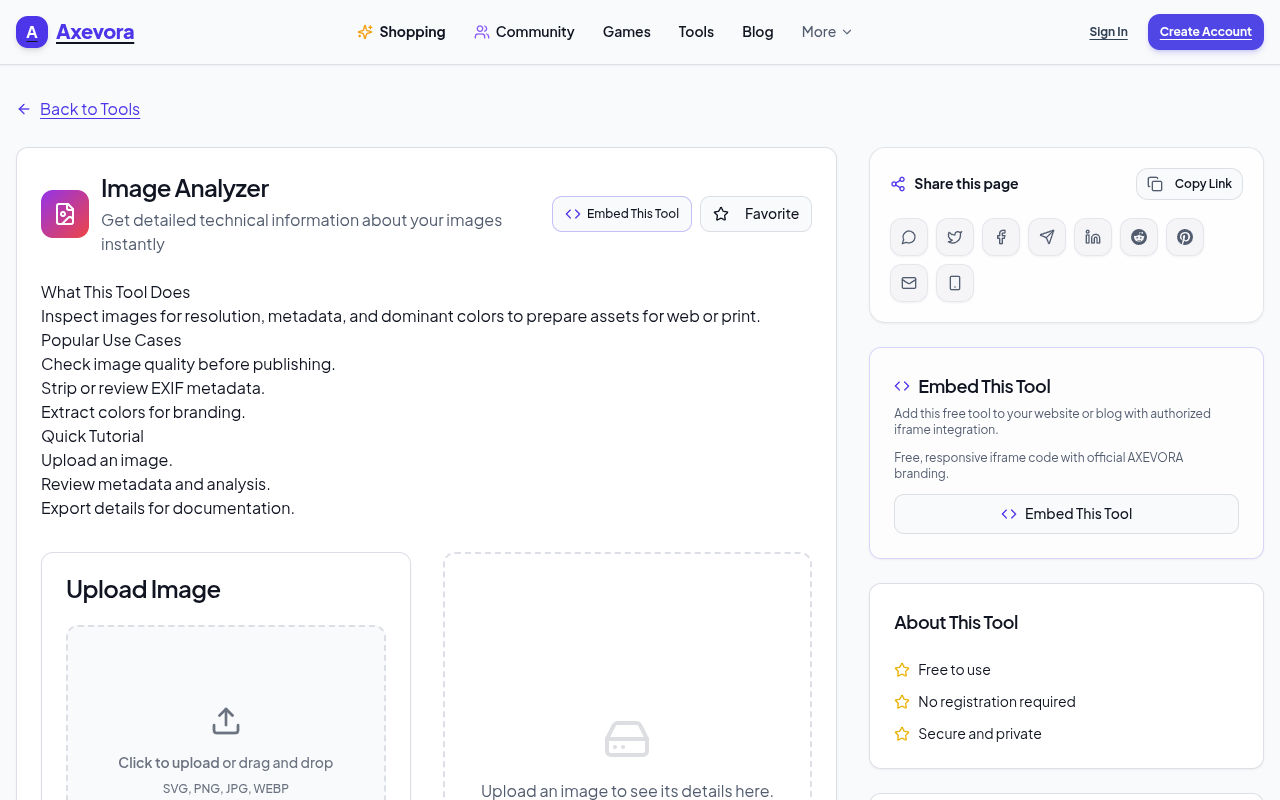
- File format, size, and dimensions
- Color profile and bit depth
- EXIF metadata (camera model, exposure, GPS, timestamps)
- File hash values for integrity checks
- Potential copyright and licensing tags
All processing happens client‑side, so your data never leaves your device.
Who Should Use It?
- Students – Verify source authenticity for research projects.
- Content Creators – Ensure consistent color profiles across assets.
- Web Developers – Optimize images by checking dimensions and compression.
- Digital Marketers – Audit image assets for SEO and accessibility.
- Everyday Users – Quickly check if a photo is truly from a specific location.
Real‑World Use Cases
- Academic Integrity – A student uploads a photo to confirm it wasn’t altered for a presentation.
- Web Optimization – A developer checks that images meet the required resolution for responsive design.
- Photo Restoration – A photographer uses the tool to identify the original camera settings before editing.
- Legal Evidence – A lawyer verifies the authenticity of a photo by cross‑checking its hash and GPS data.
Step‑by‑Step Guide
- Navigate to Axevora’s Image Analyzer.
- Click “Choose File” and select the image from your device.
- Wait for the analysis to complete (usually < 5 seconds).
- Review the results in the tabs: Properties, EXIF, Hash, License.
- Export the data as a CSV or copy the JSON for further use.
Key Benefits
- Browser‑Based – No downloads, no installations.
- Privacy‑First – All data is processed locally; nothing is sent to the server.
- Free – Unlimited usage with no hidden fees.
- Fast – Instant results for images up to 20 MB.
Common Mistakes & How to Avoid Them
- Uploading too large files – Stick to the 20 MB limit to avoid timeouts.
- Assuming missing EXIF means no data – Some cameras strip metadata; use the “Hash” tab to verify integrity.
- Ignoring color profile warnings – A mismatch can cause color shifts; always check the Color Profile section.
- Relying solely on the tool for legal evidence – Pair it with other forensic methods for full validation.
Practical Example Workflows
Photography Workflow
After shooting, upload the RAW file to the analyzer, confirm the camera settings, and export the metadata to a Lightroom catalog for consistent editing.
Web Design Workflow
Upload a hero image, verify its dimensions and compression, and adjust the file size to meet responsive design guidelines.
Digital Asset Management
Batch upload images, generate CSV reports of all EXIF data, and import into a DAM system for searchable tagging.
Frequently Asked Questions
- Is the tool truly free? Yes, there are no hidden costs or subscription fees.
- Does it support all image formats? It handles JPEG, PNG, GIF, TIFF, BMP, and WebP.
- Can I use it on mobile devices? The tool works on any modern browser, including mobile Safari and Chrome.
- What if my image is password‑protected? The analyzer cannot decrypt protected files; you’ll need to unlock them first.
Verdict & Call to Action
Axevora’s Image Analyzer is a powerful, zero‑friction solution for anyone who needs to dig deeper into their images. Whether you’re a professional or a casual user, the tool’s privacy‑first design and instant results make it an indispensable addition to your digital workflow.
Ready to see what’s hidden in your photos? Try the free Image Analyzer on Axevora →
 50000
 20000
 20
 20
Explore Related TITTOO Coverage & Discussions
- [Category Hub]: Technology & AI Hub
- [Community Forum]: Technology & AI Discussion Forum
- [Related Editorial Story]: Effortlessly Split PDFs Online for Free – The Ultimate Axevora Guide
- [About & Standards]: TITTOO Editorial Standards & Methodology
Discover how to extract every pixel of information from your images—resolution, color profiles, EXIF data, and more—without installing software. Get step‑by‑step guidance and real‑world hacks to boost your productivity today.
Read the full article ↓Discover how to extract every pixel of information from your images—resolution, color profiles, EXIF data, and more—without installing software. Get step‑by‑step guidance and real‑world hacks to boost your productivity today.
Yeh quick view original article ke excerpt par based hai. Puri details ke liye Standard Deep mode padhein.
You are reading the original TITTOO article. Existing article text, links, images, and embedded media are preserved.