





Boost Your Site’s Performance Instantly with the Free Website Speed Checker on Axevora

Why a Website Speed Checker Is Essential in Today’s Digital Workflow
Page load time is a silent conversion killer. Google, users, and search engines all favor sites that render in under three seconds. Yet many creators and developers overlook subtle performance bottlenecks until they become costly. A quick, reliable speed test that also offers concrete recommendations can turn a sluggish site into a competitive advantage—without leaving the browser.
What the Website Speed Checker Does
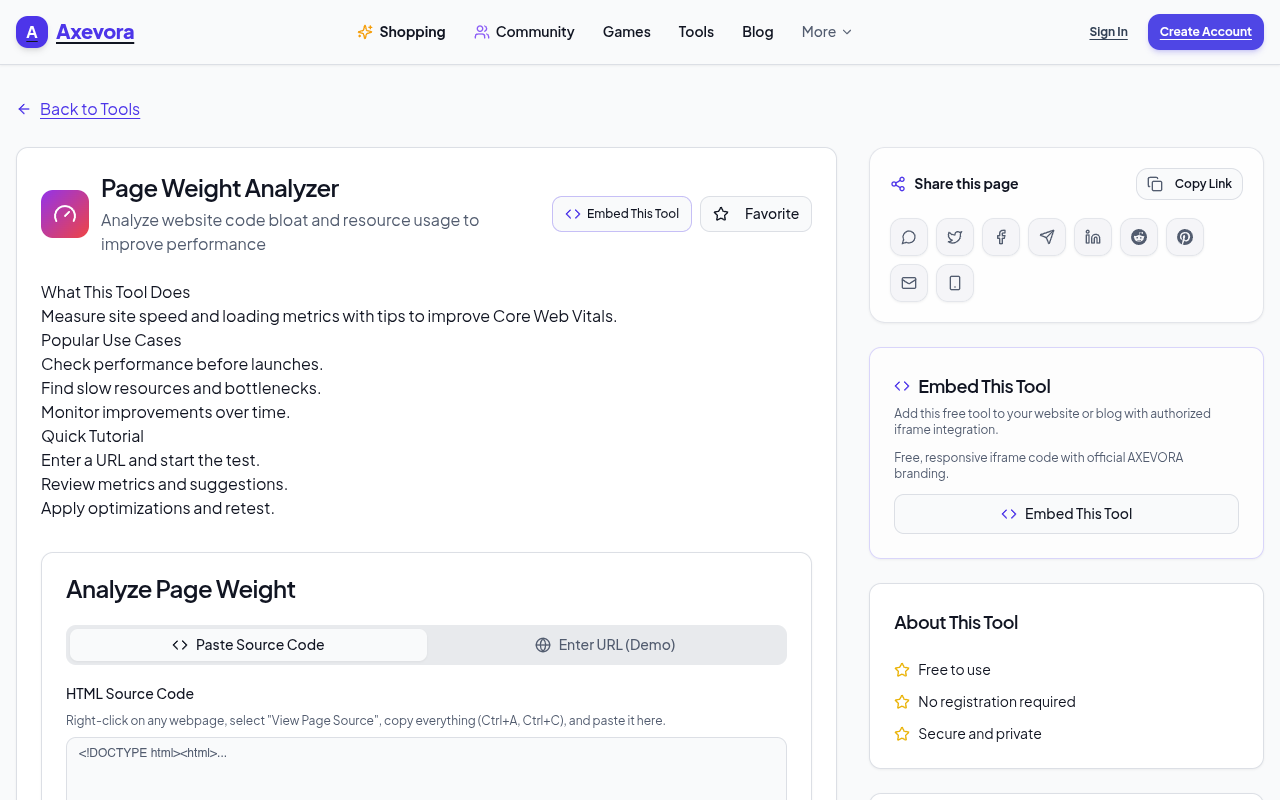
The Website Speed Checker on Axevora measures how fast a URL loads, evaluates core web vitals, and returns a concise report with optimization tips. It works entirely in the cloud: you paste a URL, the tool fetches the page from multiple locations, runs Lighthouse‑style audits, and displays results in seconds.
Who Should Use This Tool
- Students & educators testing web projects for class assignments.
- Content creators & marketers ensuring landing pages load quickly for campaigns.
- Web developers & designers performing quick regressions before a release.
- Small‑business owners & freelancers who need a free, no‑install solution.
Real‑World Use Cases
- Pre‑launch audit – Run the checker on a new product page to catch oversized images or blocking scripts before the site goes live.
- SEO health check – Verify that core web vitals meet Google’s thresholds to avoid ranking penalties.
- Client reporting – Generate a snapshot of performance metrics to include in monthly performance reports.
- Learning & teaching – Use the detailed breakdown to illustrate how each resource (CSS, JS, images) impacts load time.
Step‑by‑Step: How to Use the Website Speed Checker
- Navigate to Axevora’s Website Speed Checker.
- Enter the full URL of the page you want to test (including
https://). - Click the “Test Speed” button.
- Wait 5‑10 seconds while the tool gathers data from global test nodes.
- Review the summary: overall score, First Contentful Paint, Largest Contentful Paint, and Total Blocking Time.
- Scroll down to the “Recommendations” section for specific actions (e.g., compress images, enable caching, defer scripts).
- Copy the actionable list into your project’s task board and re‑run the test after changes.
Key Benefits of This Free, Browser‑Based Checker
- No installation – Runs entirely in your browser, so you can test from any device.
- Privacy‑first – Your URL is only used for the test; no personal data is stored.
- Instant results – Get a full performance report in under ten seconds.
- Actionable insights – Each recommendation includes a short “why” and a practical “how‑to.”
- Completely free – No hidden fees, premium tiers, or trial periods.
Common Mistakes and How to Avoid Them
- Testing a non‑public URL – The tool can only access pages reachable on the internet. Use a staging domain or expose the site temporarily.
- Ignoring mobile metrics – Desktop scores are useful, but mobile performance often drives user experience. Switch the view mode to “Mobile” before interpreting results.
- Relying on a single test – Network variance can affect scores. Run the test 2‑3 times and average the results for a more reliable picture.
- Skipping the recommendations – The checklist is concise for a reason. Implement at least one suggestion per iteration to see measurable gains.
Practical Example Workflow
Scenario: You just added a hero video to a landing page and notice a drop in conversions.
- Run the speed test on the page before the video is added – note a score of 92.
- Add the video, then re‑run – the score falls to 68, with “Large Contentful Paint” flagged.
- Follow the tool’s recommendation: “Serve video in MP4 with adaptive bitrate, enable lazy‑load.”
- Implement lazy‑loading via the
loading="lazy"attribute, compress the video, and re‑test. - Score climbs back to 85, and conversion metrics improve within a week.
Frequently Asked Questions
1. Does the tool store my website’s data?
No. Axevora only fetches the URL for the duration of the test and discards the data afterward. No logs of your site are kept.
2. Can I test pages behind a password?
Only if you provide a publicly accessible URL. For password‑protected sites, create a temporary public staging link or use a local testing tool.
3. How accurate are the results compared to paid services?
The underlying engine mirrors Google Lighthouse, so the metrics are industry‑standard. While paid platforms may offer deeper audits, the free checker provides all the data needed for most everyday optimizations.
4. Is there a limit on how many tests I can run?
There is no hard limit, but excessive automated requests may be throttled to preserve service quality. For normal use, you can test as often as needed.
Verdict & Call to Action
If you care about user experience, SEO, or conversion rates, a fast website is non‑negotiable. Axevora’s free Website Speed Checker gives you instant, trustworthy diagnostics and a clear roadmap for improvement—without any cost or installation hurdles. Make speed testing a habit, and watch your metrics climb.
Try the free Website Speed Checker on Axevora →
 50000
 20000
 20
 20
Explore Related TITTOO Coverage & Discussions
- [Category Hub]: Technology & AI Hub
- [Community Forum]: Technology & AI Discussion Forum
- [Related Editorial Story]: Police Detention of Journalists Sparks Outcry at Mumbai Protest Over Election Chief
- [About & Standards]: TITTOO Editorial Standards & Methodology
Discover how Axevora’s free Website Speed Checker can diagnose loading issues, give actionable fixes, and keep your pages lightning‑fast—no software download required.
Read the full article ↓Discover how Axevora’s free Website Speed Checker can diagnose loading issues, give actionable fixes, and keep your pages lightning‑fast—no software download required.
Yeh quick view original article ke excerpt par based hai. Puri details ke liye Standard Deep mode padhein.
You are reading the original TITTOO article. Existing article text, links, images, and embedded media are preserved.