






Convert Anything in Seconds: The Free Unit Converter on Axevora That Solves Your Measurement Headaches

1. Introduction – Why You Need a Unit Converter in Modern Workflows
From cooking recipes to engineering specs, we constantly juggle meters, pounds, gigabytes, and more. Switching between spreadsheets, design tools, and chat apps makes manual conversion error‑prone and time‑consuming. A browser‑based Unit Converter eliminates the guesswork, letting you stay focused on creation instead of calculation.
2. What the Unit Converter Does
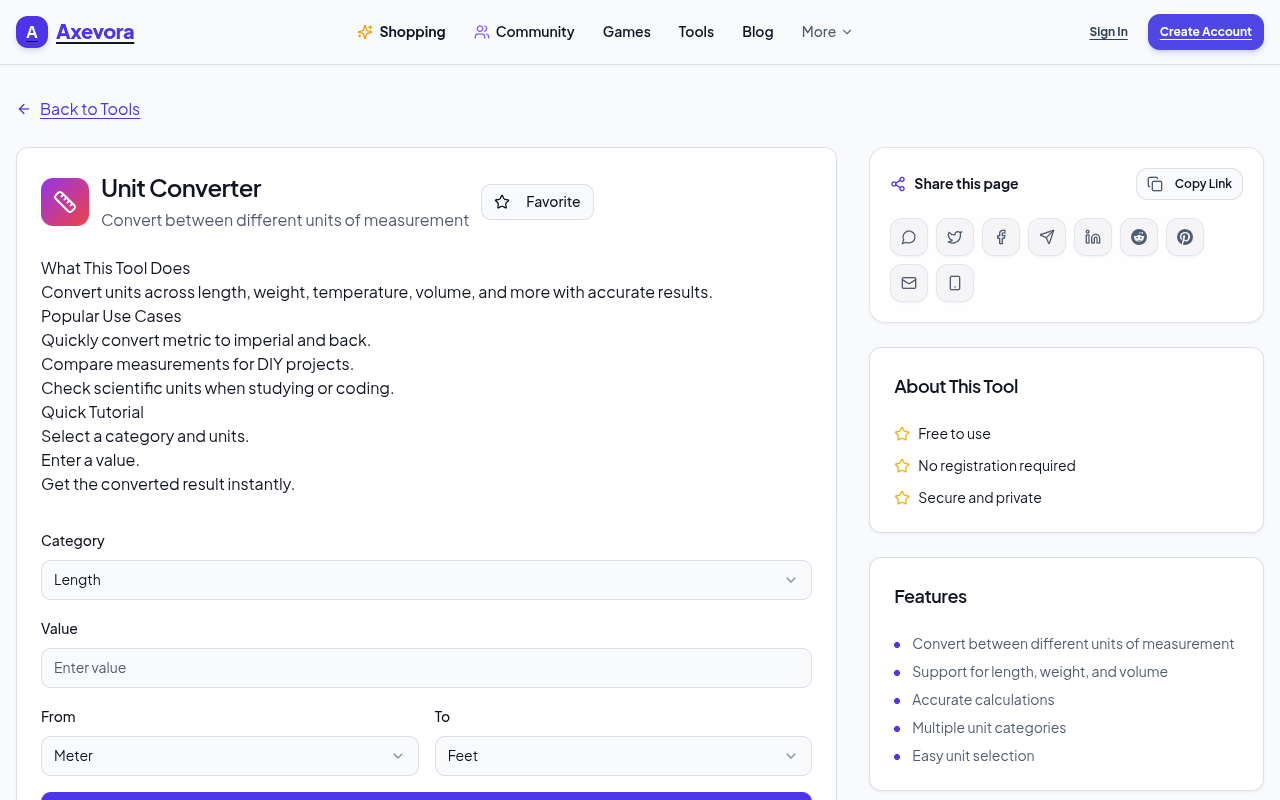
Axevora’s Unit Converter is a lightweight web app that instantly translates values between thousands of measurement units—length, mass, temperature, data, currency (static rates), and many specialty categories. It runs entirely in your browser, meaning no downloads, no sign‑ups, and no data is stored on a server.
3. Who Should Use It
- Students – quick homework checks for physics, chemistry, or geography.
- Content creators – writers, video editors, and designers who need consistent units across platforms.
- Developers & engineers – convert API payloads, sensor data, or CAD dimensions on the fly.
- Professionals – project managers, marketers, and finance teams handling cross‑regional data.
- Everyday users – anyone who’s ever wondered how many kilometers are in a mile while planning a road trip.
4. Real‑World Use Cases
- International shipping calculations: Convert package weight from pounds to kilograms and dimensions from inches to centimeters to generate accurate customs forms.
- Recipe adaptation: Scale a US‑based recipe to metric units for a European kitchen, ensuring precise ingredient ratios.
- Data‑size budgeting: Translate gigabytes to terabytes when planning cloud storage, avoiding costly over‑provisioning.
- Scientific reporting: Switch between Celsius, Fahrenheit, and Kelvin for lab results without manual formulas.
5. Step‑by‑Step: How to Use the Unit Converter
- Open Axevora’s Unit Converter page in any modern browser.
- Select the category (e.g., Length, Mass, Data).
- Choose the source unit from the left dropdown and the target unit from the right dropdown.
- Enter the numeric value you wish to convert.
- The result appears instantly below the fields; you can copy it with a single click.
- Use the “Swap” button to reverse the conversion direction without re‑entering data.
- For batch conversions, click the “Add Row” icon to stack multiple values and download the table as CSV.
6. Key Benefits
- Browser‑based: No installation, works on Windows, macOS, Linux, Android, iOS.
- Privacy‑first: All calculations happen locally; nothing is transmitted to a server.
- Free forever: No hidden fees, premium tiers, or ads.
- Extensive library: Over 1,200 units across 30+ categories.
- Responsive design: Optimized for desktop, tablet, and mobile screens.
7. Common Mistakes & How to Avoid Them
- Choosing the wrong category: Length vs. area vs. volume—double‑check the dropdown before entering a value.
- Mixing unit prefixes: Converting “kilometers per hour” to “meters per second” requires both distance and time conversion; use the combined unit option.
- Ignoring rounding settings: The tool defaults to 4 decimal places; adjust the precision slider if you need whole numbers or more exact figures.
- Copy‑paste formatting errors: When pasting numbers with commas or spaces, ensure they’re stripped to avoid “NaN” results.
8. Practical Examples & Sample Workflows
Example 1 – Preparing a Cross‑Border Invoice
1. Open the Unit Converter and select “Currency”.
2. Choose “USD” → “EUR”.
3. Enter the invoice amount (e.g., 1,250).
4. Copy the converted total and paste it into your invoice template.
Example 2 – Quick Data‑Size Check for a Video Project
1. Category: “Data”.
2. Source: “Megabytes (MB)”, Target: “Gigabytes (GB)”.
3. Input the video file size (e.g., 2,400).
4. The tool returns “2.34 GB”, helping you decide if the file fits your upload quota.
Example 3 – Engineering Blueprint Scaling
1. Category: “Length”.
2. Source: “Inches”, Target: “Millimeters”.
3. Input the dimension (e.g., 12.5).
4. Result: “317.5 mm”. Use this directly in CAD software without manual conversion tables.
9. Frequently Asked Questions
- Is the Unit Converter offline capable?
- Yes. Once the page loads, all calculations happen locally, so you can use it without an internet connection.
- Can I convert between compound units like “mph” to “m/s”?
- Absolutely. Select the “Speed” sub‑category and choose the appropriate compound units from the dropdowns.
- Does Axevora store my conversion history?
- No. The tool does not log or transmit any data; your history exists only in the current browser session.
- What if I need a unit that’s not listed?
- Use the “Custom Unit” field at the bottom of the category list to define a conversion factor manually.
10. Verdict & Call to Action
If you spend even a few minutes a week wrestling with unit math, the free Unit Converter on Axevora will save you hours and eliminate costly errors. Its speed, privacy, and zero‑cost model make it a must‑have utility for anyone who works with numbers.
11. Ready to Convert?
Experience the simplicity yourself—no sign‑up, no ads, just instant results.
Try the free Unit Converter on Axevora →
 50000
 20000
 20
 20
Explore Related TITTOO Coverage & Discussions
- [Category Hub]: Technology & AI Hub
- [Community Forum]: Technology & AI Discussion Forum
- [Related Editorial Story]: Convert Audio Files Instantly for Free: How to Master Axevora’s Online Audio Converter
- [About & Standards]: TITTOO Editorial Standards & Methodology
Discover how Axevora’s free online Unit Converter turns confusing unit calculations into a one‑click task. This evergreen guide shows real‑world uses, step‑by‑step instructions, and tips to avoid common pitfalls.
Read the full article ↓Discover how Axevora’s free online Unit Converter turns confusing unit calculations into a one‑click task. This evergreen guide shows real‑world uses, step‑by‑step instructions, and tips to avoid common pitfalls.
Yeh quick view original article ke excerpt par based hai. Puri details ke liye Standard Deep mode padhein.
You are reading the original TITTOO article. Existing article text, links, images, and embedded media are preserved.