






Validate JSON Instantly: Free Online JSON Validator on Axevora

Why a JSON Validator Matters in Modern Digital Workflows
JSON (JavaScript Object Notation) is the lingua franca of APIs, configuration files, and data interchange. A single misplaced comma or stray quote can break an entire integration, costing developers hours of debugging. A quick, reliable validator lets you catch those errors before they cascade, keeping projects on schedule and reducing frustration.
What the JSON Validator Does
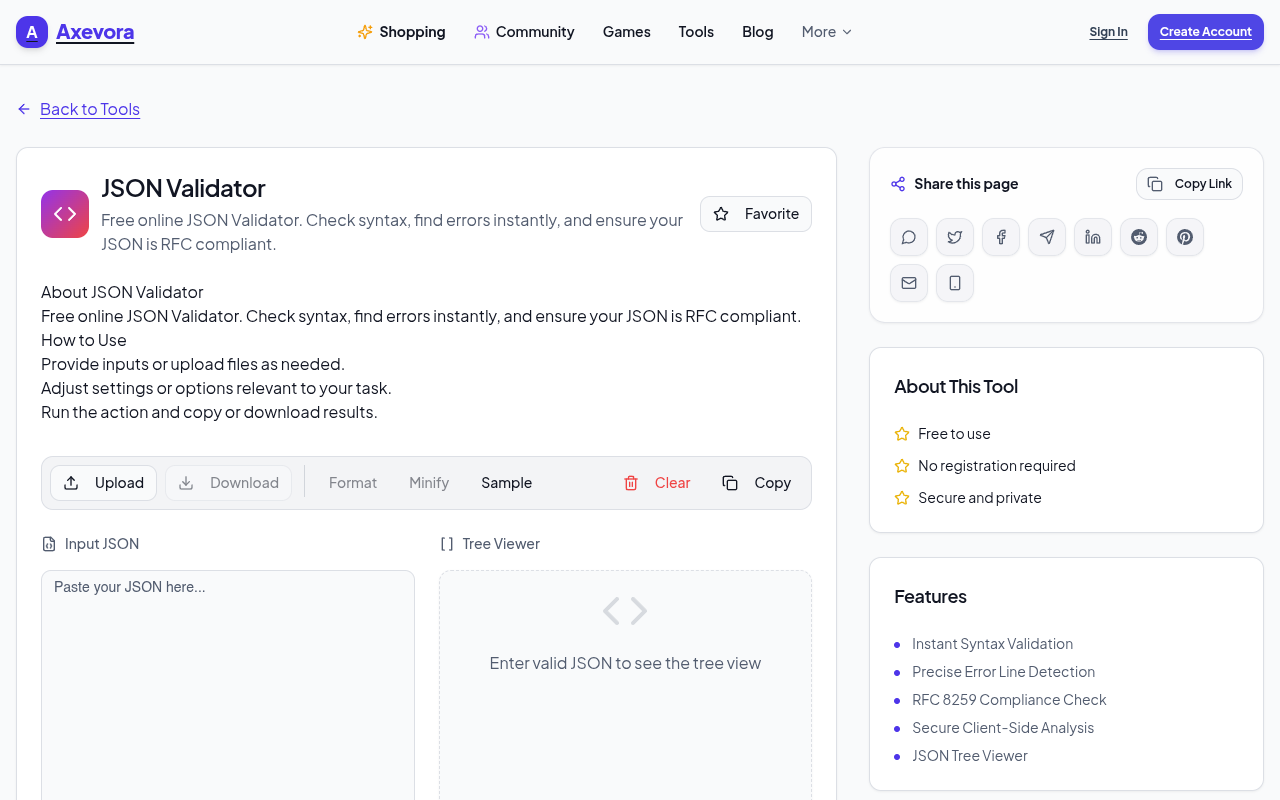
The JSON Validator on Axevora parses any JSON string you paste into its browser‑based editor. It checks syntax against the official JSON specification, highlights exact error locations, and offers a formatted view of valid JSON. All processing happens locally in your browser, so your data never leaves your machine.
Who Should Use This Tool
- Students & educators working with data structures for assignments.
- Web developers testing API responses or configuration files.
- Content creators who embed JSON in markdown or static site generators.
- Product managers & QA analysts reviewing data payloads without writing code.
Real‑World Use Cases
- API debugging: Paste a response from a REST endpoint to instantly see if the payload is malformed.
- Configuration sanity check: Validate
package.jsonortsconfig.jsonfiles before committing to version control. - Data migration: Verify large JSON dumps from databases before importing them into a new system.
- Learning & teaching: Demonstrate JSON syntax rules in real time during workshops.
Step‑by‑Step: How to Use the Free JSON Validator
- Navigate to Axevora’s JSON Validator page.
- Copy the JSON snippet you want to test.
- Paste it into the large text area labeled “Enter JSON”.
- Click the Validate button.
- If errors exist, the tool highlights the line and column with a red message; correct the issue directly in the editor.
- When the JSON is valid, a green “Valid JSON” banner appears and a formatted view is displayed on the right.
- Use the “Copy Formatted” button to grab the pretty‑printed version for documentation or sharing.
Key Benefits of Axevora’s Browser‑Based Validator
- No installation – works entirely in the browser.
- Privacy‑first – data never leaves your computer.
- Free forever – no hidden fees or trial limits.
- Instant feedback with line/column pinpointing.
- Responsive UI that works on desktop and mobile browsers.
Common Mistakes & How to Avoid Them
- Trailing commas: JSON does not allow commas after the last item in an array or object. Remove them before validating.
- Unescaped characters: Quotes inside strings must be escaped (
"). The validator will flag them. - Mixed data types: Ensure keys are strings and values are valid JSON types (string, number, object, array, true, false, null).
- Copy‑paste artifacts: Hidden whitespace or line‑break characters can cause “Unexpected token” errors. Use the editor’s “Trim whitespace” option if available.
Practical Example Workflow
Imagine you receive a webhook payload from a third‑party service that looks like this:
{
  "userId": 12345,
  "name": "Jane Doe",
  "roles": ["admin", "editor",],
  "active": true,
}
Paste it into the validator. It immediately flags two errors: a trailing comma after the roles array and another after the active property. After removing those commas, the validator shows a green success banner and a nicely indented version you can copy back into your codebase.
Frequently Asked Questions
Is my data stored on Axevora’s servers?
No. All validation happens locally in your browser; nothing is sent to a remote server.
Can the validator handle very large JSON files?
Yes, it can process files up to several megabytes, though extremely large payloads may cause a brief pause while the browser parses them.
Does the tool support JSON5 or comments?
It follows the strict JSON specification, so JSON5 syntax or comments will be flagged as errors.
Is there an API for automated validation?
Axevora currently offers only the web UI. For programmatic validation, consider using libraries like ajv or jsonlint in your own scripts.
Verdict & Call to Action
If you regularly work with JSON—whether you’re a seasoned developer or just starting to explore data formats—Axevora’s free JSON Validator is a lightweight, privacy‑centric tool that can shave minutes (or hours) off your debugging routine. Give it a spin today and experience instant, error‑free JSON.
Try the free JSON Validator on Axevora →
 50000
 20000
 20
 20
Explore Related TITTOO Coverage & Discussions
- [Category Hub]: Technology & AI Hub
- [Community Forum]: Technology & AI Discussion Forum
- [Related Editorial Story]: Tenzing: Jennifer Peedom’s Everest Biopic Finally Centers the Sherpa Legend Over Imperial Triumph
- [About & Standards]: TITTOO Editorial Standards & Methodology
Discover how Axevora’s free JSON Validator can instantly spot syntax errors, keep your data clean, and boost productivity—no download required.
Read the full article ↓Discover how Axevora’s free JSON Validator can instantly spot syntax errors, keep your data clean, and boost productivity—no download required.
Yeh quick view original article ke excerpt par based hai. Puri details ke liye Standard Deep mode padhein.
You are reading the original TITTOO article. Existing article text, links, images, and embedded media are preserved.