






Validate XML Instantly for Free: How to Use Axevora’s Online XML Validator

Why You Need an XML Validator in Modern Workflows
XML remains the backbone of data interchange for everything from configuration files to API payloads. A single misplaced tag can break a deployment, cause a mobile app to crash, or invalidate an entire data feed. In fast‑paced teams, waiting for a build to fail or a partner to reject a file wastes precious time. A quick, browser‑based XML validation step eliminates those costly surprises.
What the XML Validator Does
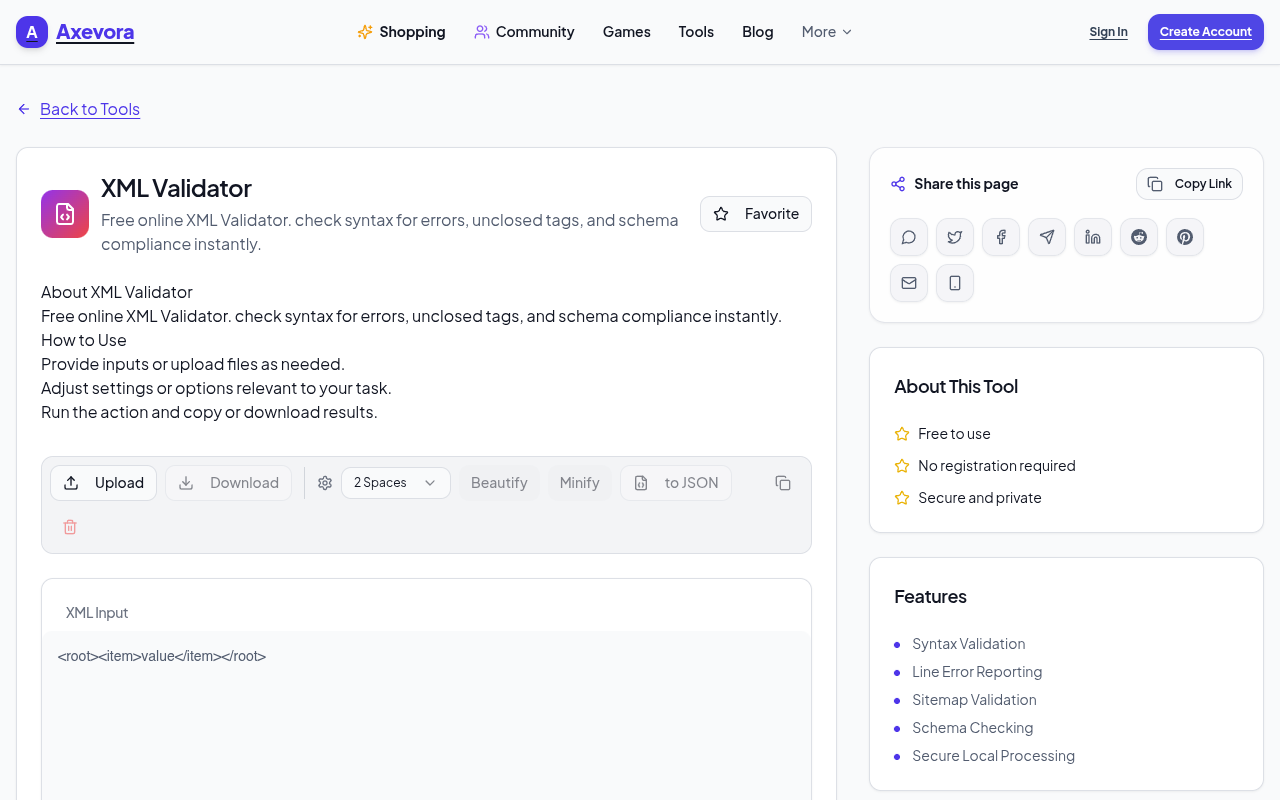
The Axevora XML Validator parses your document in the browser, checks it against XML syntax rules, and flags violations such as unclosed tags, illegal characters, and mismatched namespaces. It also runs a set of best‑practice heuristics (e.g., proper indentation, attribute quoting) to help you write clean, maintainable XML. All processing happens client‑side, so your data never leaves your computer.
Who Should Use It
- Students & educators learning XML schemas or preparing assignments.
- Web developers who embed XML snippets in HTML or work with SVG.
- Data engineers handling feeds for ETL pipelines.
- Technical writers creating documentation that includes XML examples.
- Everyday power users who need to tweak configuration files quickly.
Real‑World Use Cases
- API contract testing: Validate request/response payloads before they hit a staging server.
- CI/CD pipeline guardrails: Add a manual validation step for configuration files that aren’t covered by schema validators.
- Content migration: Clean up legacy XML dumps before importing them into a new CMS.
- Learning exercises: Instantly see why a student’s XML assignment fails and give targeted feedback.
Step‑by‑Step: How to Use the Tool
- Navigate to Axevora’s XML Validator page.
- Paste your XML code into the large text area or click “Upload” to load a .xml file.
- Optionally select “Enable best‑practice checks” to get style suggestions.
- Click the Validate button.
- Review the results pane: errors are highlighted with line numbers; warnings appear in a separate list.
- Fix the highlighted issues in your source editor, then re‑validate until the pane reports “No errors found.”
- Copy the clean XML back to your project or download the corrected file using the “Export” button.
Key Benefits
- Browser‑based: No downloads, no installations, works on any OS.
- Privacy‑first: Validation runs locally; your data never touches a server.
- Free forever: No hidden fees, no trial limits.
- Instant feedback: Errors appear as you type, reducing debugging cycles.
- Lightweight UI: Clean interface keeps you focused on the XML, not on tool menus.
Common Mistakes & How to Avoid Them
- Copy‑pasting invisible characters: Non‑printing Unicode symbols can break parsing. Use a plain‑text editor before pasting.
- Ignoring namespace declarations: The validator flags undefined prefixes; always declare namespaces at the root.
- Relying solely on syntax checks: The tool catches well‑formedness but not schema compliance. Pair it with an XSD validator for full coverage.
- Overlooking case sensitivity: XML tags are case‑sensitive; a mismatched case will be reported as an error.
Practical Example Workflow
Imagine you’re updating an RSS feed for a news site:
- Export the current feed XML from the CMS.
- Open the file in a text editor, make your content changes.
- Paste the updated XML into the Axevora validator.
- Fix any “Unclosed tag” or “Invalid character” errors reported.
- Run the validator again until it shows “No errors found.”
- Upload the clean file back to the CMS, confident that readers’ aggregators won’t reject it.
This loop typically takes under five minutes, compared to hours of trial‑and‑error when testing on a live site.
Frequently Asked Questions
Is the validator able to check against a custom XSD?
No. The free tool focuses on well‑formedness and best‑practice checks. For schema validation, you’ll need a dedicated XSD validator, but you can still use Axevora first to catch low‑level errors.
Can I validate large XML files (e.g., >10 MB)?
Yes, the browser can handle files up to roughly 15 MB depending on your device’s memory. For extremely large datasets, consider a desktop validator.
Does the tool store my XML after validation?
All processing occurs client‑side; the page does not transmit your content to Axevora’s servers, ensuring privacy.
What browsers are supported?
Modern browsers—Chrome, Edge, Firefox, Safari—are fully supported. Older versions may lack the necessary JavaScript features.
Verdict & Call to Action
If you work with XML at any frequency, a quick, free, privacy‑safe validator is a non‑negotiable productivity booster. Axevora’s online XML Validator delivers instant feedback without the overhead of installing heavyweight IDE plugins. Give it a spin today and eliminate XML‑related roadblocks before they appear in your codebase.
Try the free XML Validator on Axevora →
 50000
 20000
 20
 20
Explore Related TITTOO Coverage & Discussions
- [Category Hub]: Technology & AI Hub
- [Community Forum]: Technology & AI Discussion Forum
- [Related Editorial Story]: Shardiya Navratri Begins: Day 1 Rituals, Ghatasthapana, and the Worship of Maa Shailputri
- [About & Standards]: TITTOO Editorial Standards & Methodology
Discover how Axevora’s free XML Validator can catch syntax errors, enforce best‑practice rules, and keep your data pipelines humming—all without installing software.
Read the full article ↓Discover how Axevora’s free XML Validator can catch syntax errors, enforce best‑practice rules, and keep your data pipelines humming—all without installing software.
Yeh quick view original article ke excerpt par based hai. Puri details ke liye Standard Deep mode padhein.
You are reading the original TITTOO article. Existing article text, links, images, and embedded media are preserved.